Amazon live offers Chrome extension – prices and stock count
Live offers helps Amazon sellers see a list of all offers of the product in a user friendly way. The list is sorted by price including shipping (from lowest to highest). In order to see the correct prices shown to a customer from a country of the marketplace, it is necessary to set a delivery location in the upper left corner of the Amazon page.
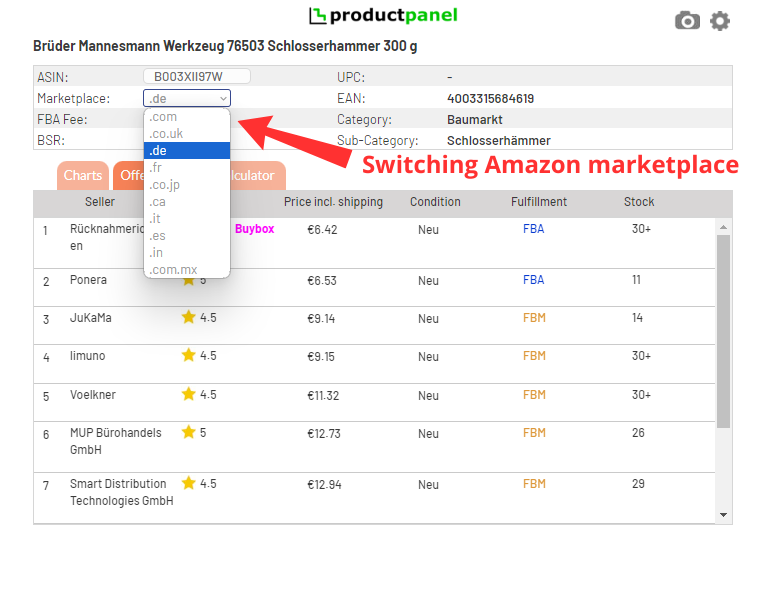
Each offer of the list shows a seller name, seller rating, fulfillment method (if the order is FBM or FBA), condition of the offer (new, used, etc.) and stock count. The stock count shows a number of pieces that the seller has in stock – from 1 to 30+ (which means the seller has more than 30 pieces in stock).
Using dropdown button of the Amazon marketplace you can easily switch to another Amazon domain and compare offers internationally without leaving current Amazon listing page.